A Pomodoro app blocker is a focus timer that also blocks your distracting apps while it runs, so a 25-minute focus round can't quietly turn into 25 minutes of scrolling. On iPhone, the blocking comes from Apple's Screen Time. In Stillock, Pomodoro is free: pick a block group, switch on Pomodoro and start. The apps are blocked during each focus round and unblocked for the break, then blocked again when the next round starts.
The Pomodoro technique in 60 seconds
The Pomodoro technique is a simple way to split work into short, timed rounds. It is named after a tomato-shaped kitchen timer, and the classic version looks like this:
- Pick one task.
- Focus on it for 25 minutes.
- Take a 5-minute break.
- Repeat. After four rounds, take a longer break of 15 to 30 minutes.
It helps for two reasons. A 25-minute round is a small promise, so starting feels easy even when the task does not. And because breaks are planned, you stop taking random ones every time the work gets hard.
The numbers are a starting point, not a rule. You may want longer rounds once the habit sticks, and we cover common variations below.
Why a focus timer alone fails on a phone
The problem with running a Pomodoro timer on your phone is that the timer lives on the same device as the distraction. You glance at the countdown, see a notification, and "just check" an app. The timer keeps running while you scroll, and nothing stops you.
Apple's built-in tools do not close that gap on their own. The Clock app's timer counts down and rings, but it doesn't block anything. Screen Time's App Limits work per day, not per 25-minute round, and when you reach a limit you set for yourself, the limit screen offers "Ignore Limit". Our guide to blocking apps at certain times covers the scheduled side of Screen Time in detail.
What changes the result is removing the choice during the focus round. If the apps you reach for are blocked until the round ends, there is nothing to "just check". A Pomodoro app blocker ties the two together: the timer sets the rhythm, and Screen Time enforces it.
How to run Pomodoro with app blocking in Stillock
Stillock uses Apple's Screen Time to block the apps, categories and websites in your block group while you focus. iOS gives Stillock encrypted tokens instead of app names, so neither the app nor its developer can see what you block, and there is no account to create.
- Install Stillock and allow Screen Time access when the app asks.
- Create a block group. Add the apps you reach for on autopilot, such as social media, video, games and news. Leave out anything the task needs, and never block apps you might need in an emergency, such as messaging, maps, health or sign-in apps.
- On the Start screen, turn on Pomodoro.
- If you want extra hold, turn on strict mode, so the session can't be ended early in the app, or Tag to unlock, so only an NFC tag you keep in another room can end it early (see our guide to NFC app blockers). Both are Pro features, and only one of the two can be on at a time.
- Start the session. Your block group is blocked during each focus round and unblocked during the break; the apps are blocked again when the next round starts. In a strict or tag-locked Pomodoro, the scheduled breaks still open the apps; what's blocked is ending early.
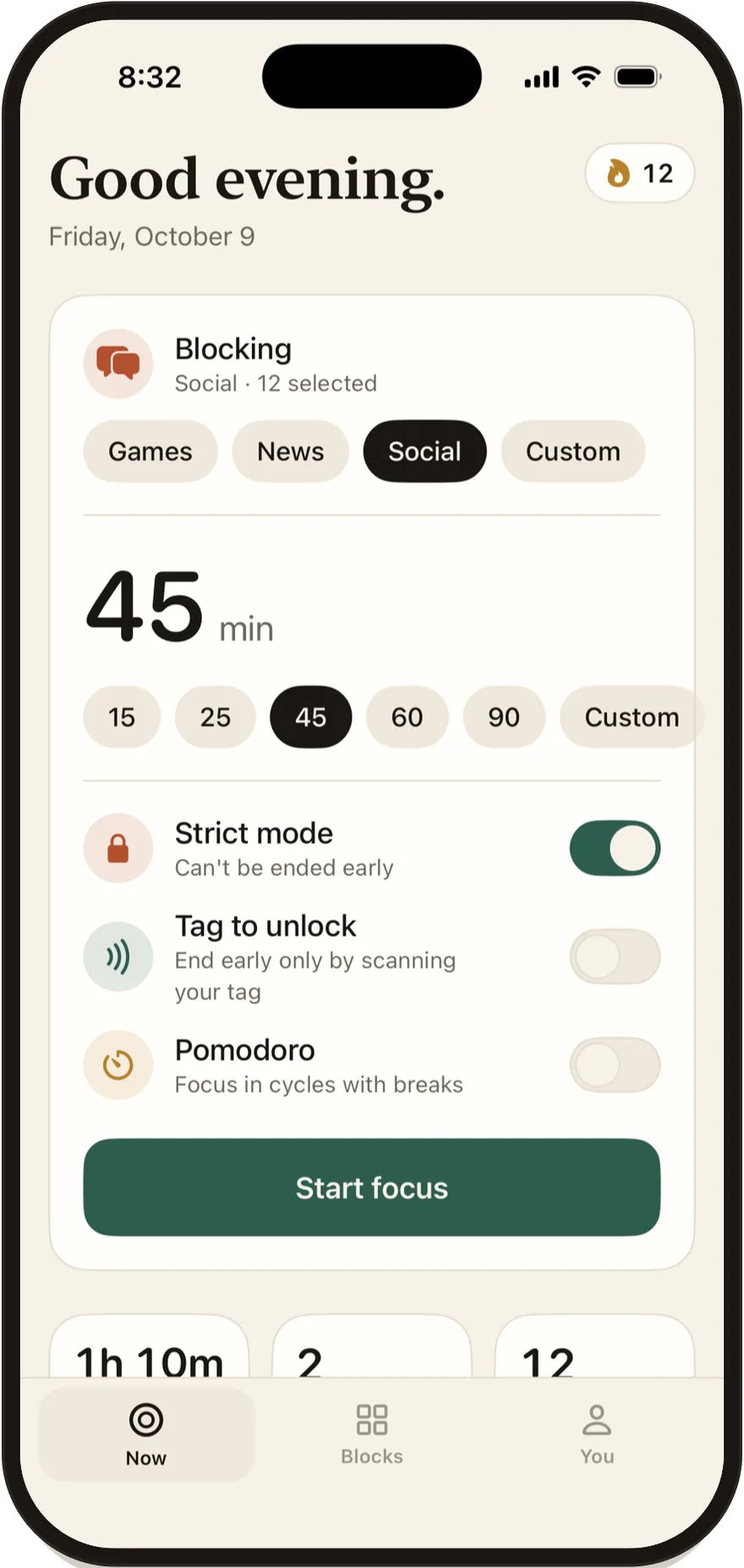
What is free and what is Pro. On the free plan, the focus round is the session length you pick on the Now tab (25 minutes by default, anywhere from 5 to 180), the break is fixed at 5 minutes, and you can run up to 4 cycles. Stillock Pro, at $4.99 per month or $24.99 per year in the US (the yearly plan starts with a 7-day free trial), lets you set the break from 1 to 30 minutes and run up to 10 cycles, and adds more block groups, schedules, daily limits, strict mode and insights.
Pro also adds a separate "5-minute break" button on the running session: it unblocks all of the session's apps for 5 minutes while the session clock keeps running, so the end time doesn't move. It works only during a focus round, never in strict or tag-locked sessions, and those minutes don't count as focus.

See the countdown on your Lock Screen and Dynamic Island
A blocker works better when you don't have to open it. While a Stillock session runs, the countdown shows on your Lock Screen and, on iPhones that have one, in the Dynamic Island as a Live Activity, so you can see how long is left without unlocking your phone and getting pulled into something else. The Live Activity shows the whole session's countdown, not the current round or break; the Now tab in the app shows those.
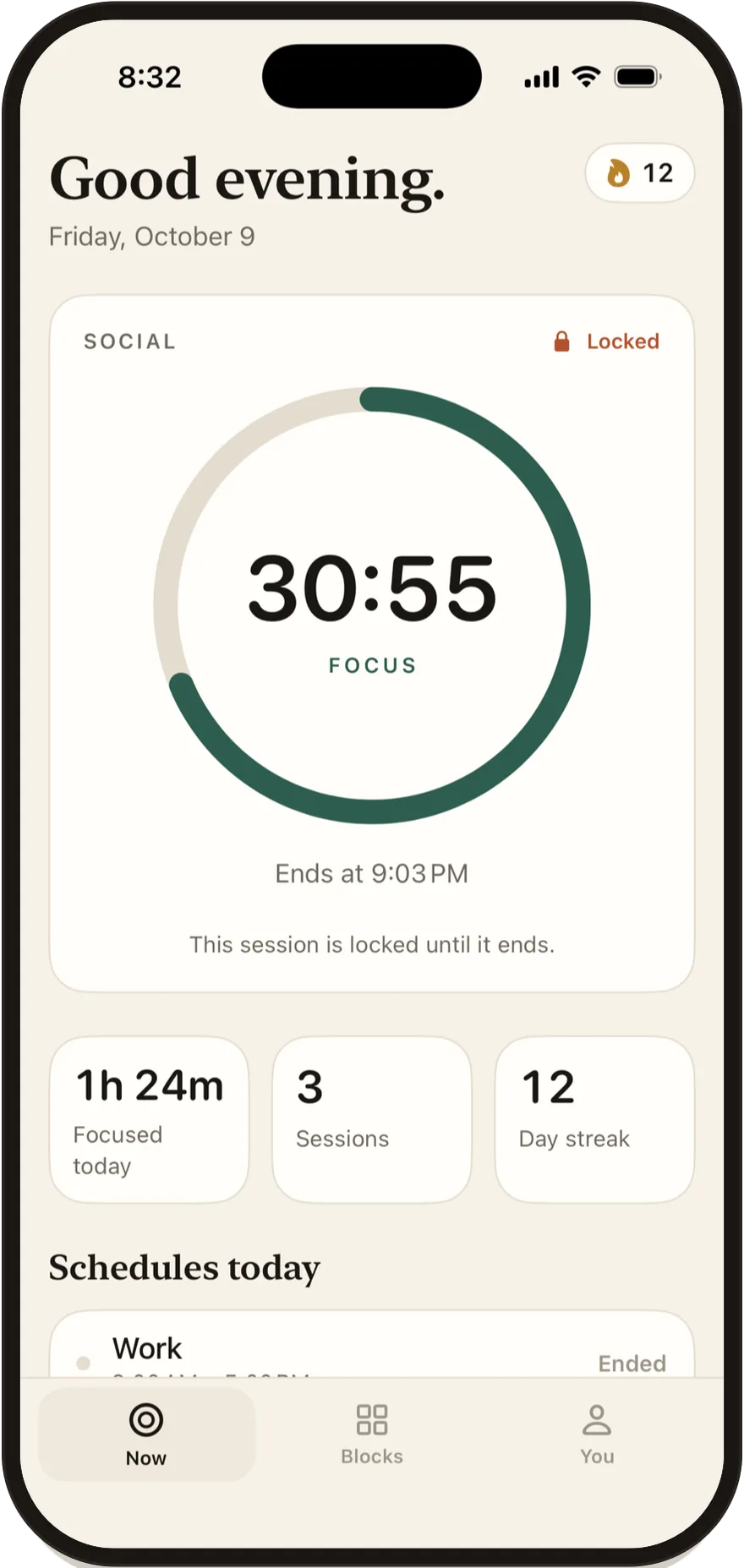
There is also a Home Screen widget, and Siri and Shortcuts can start a session, so "start focus" can be a single voice command or a tap on an automation you already use.
Pomodoro variations: 50/10, 90-minute deep work and exam study
The classic 25/5 split suits tasks that are hard to start. Other rhythms suit other work:
| Rhythm | Focus | Break | Good for |
|---|---|---|---|
| Classic | 25 minutes | 5 minutes, longer after four rounds | Getting started, admin, revision |
| Long rounds | 50 minutes | 10 minutes | Writing, coding, reading |
| Deep work | 90 minutes | A real break of 15 to 30 minutes | One big task, once or twice a day |
| Exam study | Four classic rounds | A long break, then repeat | Revision days with several subjects |
In Stillock, the free Pomodoro uses your chosen focus length with a fixed 5-minute break, up to 4 cycles; longer breaks and up to 10 cycles are part of Pro. If you want a single 50- or 90-minute block without paying, start a regular focus session instead: sessions run from 5 minutes to 3 hours, with presets of 15, 25, 45, 60 and 90 minutes and a custom length in 5-minute steps, and you take the break yourself when it ends.
Whatever rhythm you choose, decide before you start, not halfway through. Changing the plan mid-round is the same "just this once" that the blocker is there to stop.
Pair Pomodoro with schedules, challenges and streaks
Pomodoro handles the minutes. A few other features handle the day:
- Schedules (Pro). Block a group automatically every day, for example Work 9 to 5 or Bedtime overnight, so the worst apps stay off even between Pomodoro sessions. While a schedule on the same group is in its window, its apps stay blocked through the Pomodoro breaks too.
- Focus link (Pro). Block a group automatically while an iOS Focus, such as Work, is on.
- Streaks. Your day streak is free. Pro adds streak protection, which forgives one missed day a week.
- Insights (Pro). See how often you finish your sessions and your best time of day to focus, plus a recap every Sunday.
- Challenges (free). The first is No-Scroll November, from November 7 to 30, 2026: focus 25 minutes or more on 15 days. One classic Pomodoro round is exactly that length, and Pomodoro focus rounds count toward the daily goal (breaks don't). Read more in our No-Scroll November post.
Pomodoro timers vs app blockers
Here is how the common options compare. Third-party prices were checked on November 5, 2026.
| Option | Times your focus rounds | Blocks distracting apps | Cost |
|---|---|---|---|
| Clock app timer | Yes, a plain countdown | No | Free, built into iOS |
| Screen Time App Limits | No, limits are per day | Yes, but you can tap "Ignore Limit" on your own limits | Free, built into iOS |
| Forest | Yes, a gamified focus timer | A timer-first app; see its listing for details | Plus $5.99 per month or $35.99 per year (App Store) |
| Stillock | Yes, Pomodoro cycles with short breaks | Yes, your block group through Screen Time | Pomodoro free; Pro $4.99 per month or $24.99 per year |
If a timer alone keeps you on task, you don't need a blocker. If you keep finding yourself in an app halfway through a round, the blocking is the part that matters. For the wider picture, see how app blockers for iPhone work and how to choose one.
Limitation: Stillock blocks apps through Apple's Screen Time, so iOS always lets you remove its blocks by turning off its Screen Time access in Settings or by deleting the app. A Pomodoro session makes it harder to drift, not impossible. If you want the strictest setup, our guide to an app blocker you can't easily bypass explains how far you can take it on iPhone.
FAQ
Is Stillock's Pomodoro timer free?
Yes. The basic Pomodoro is part of Stillock's free version, together with unlimited focus sessions and one block group. Custom Pomodoro cycles and the 5-minute break are part of Stillock Pro.
What is a good Pomodoro length for studying?
Start with the classic 25 minutes of focus and a 5-minute break, with a longer break after four rounds. If you often want to keep going when the timer ends, try 50 minutes of focus and a 10-minute break.
Can a Pomodoro app block websites as well as apps?
Stillock's block groups can include apps, categories and websites, so a focus round can block a site as well as its app. You pick sites in Apple's Screen Time picker, which lists the sites Screen Time has already seen on your iPhone, so visit the site once first. Add both the site and the app if you use a service in the browser and in its own app, and test the block in any browser other than Safari that you use.
Does Stillock's Pomodoro work on iPad?
Yes. Stillock runs on iPad with iPadOS 17 or later and has its own iPad layout, with the timer, today's schedules and limits side by side. Pomodoro and focus sessions work on iPad the same way as on iPhone.
Can I see the Pomodoro countdown without opening the app?
Yes. The countdown runs on your Lock Screen and in the Dynamic Island as a Live Activity, and there is a Home Screen widget as well.